Using [ Quizoodd
Viewer ]
To learn about how to
use the application [ Quizoodd Viewer ] please activate the tab [ Demo ]
and interact with the
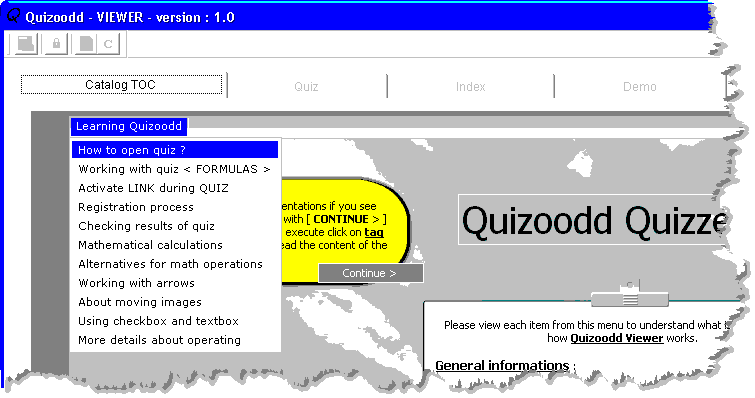
embedded FlashPlayer presentation as you can see in fig. 1
Please click over the
button indicated in fig. 1 and you will obtain the menu from fig. 2
Choose any option you
want to understand how to use the application [ Quizoodd Viewer ]
Fig. 1 - The tab named [ Demo
]
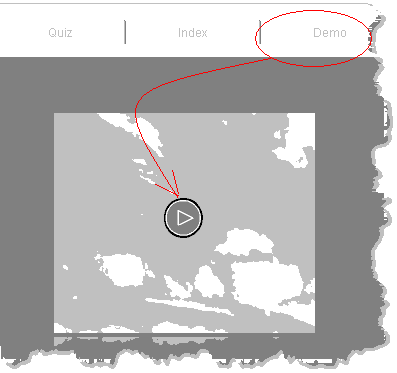
Fig. 2 - The Flash Player
presentation
_____________________________________________________________________
Powered by Quizoodd software .http://gridnet.ro
Please use the above link if you do not see 2 frames
The current item selected is ... [ Using [ Quizoodd Viewer ] ]
Your MAP to ROOT